Erf2g60h Replace Bluetooth Voice Remote
Control For Hisense Smart Tv Erf2k60h
USD $13.78
Condition : New
Free Shipping
{{variant_type_name}} :

Notify me when the price drops
We will email you if we find a lower price on this product!
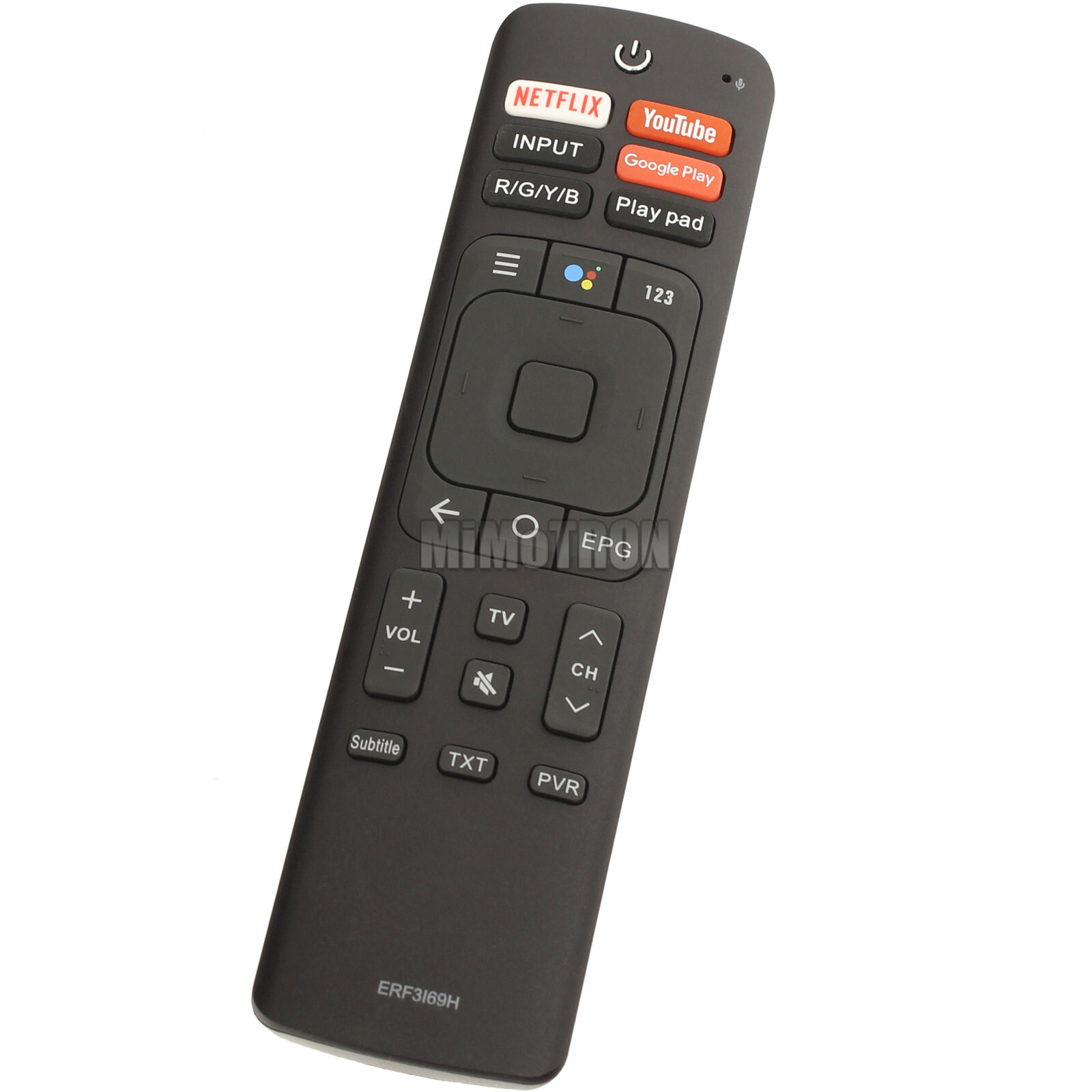
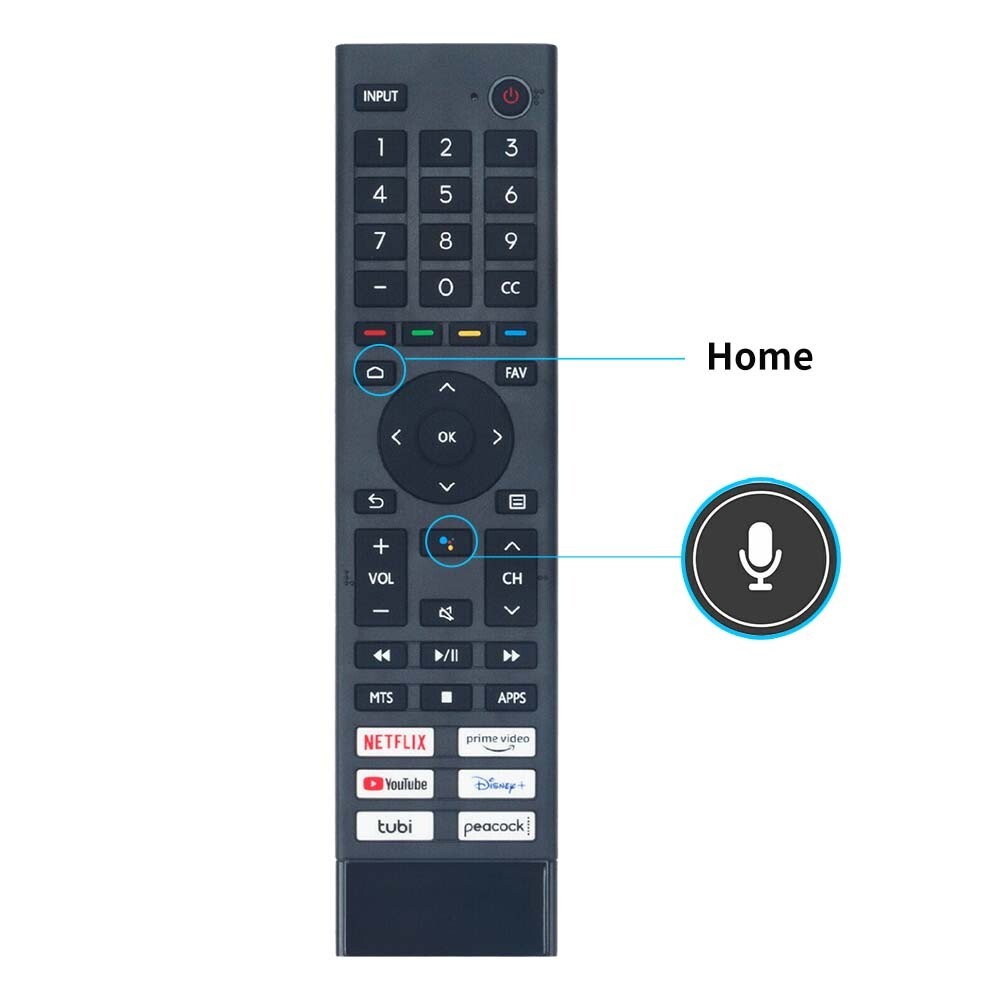
New ERF2G60H Replaced Voice Remote Control with Mic fit for Hisense Smart TV
Sub for remote ERF2A60 ERF2K60H ERF2B60H
This is a replacement voice remote controller with MIC.
Power Supply: 2 x 1.5V AAA Alkaline Batteries
Compatible with Hisense Smart TV Models:
55H8030F 65H8030F 55H9050F 65H9050F 55Q7G 32A35EUA 32E5600EU 40E5600EU HU43E5600FFWA HU32E5600FHWA 32H5500G 32H5510G 43H5500G 43H5510G 43H5580G 55H9G 65H9G 43H5670G 50H6570G 55H6570G 65H6570G 70H6570G 75H6570G 85H6570G 43H6510G 50H6510G 55H6510G 65H6510G 75H6510G 85H6510G 43H78G 50H78G 55H78G 58H78G 65H78G 70H78G 75H78G 85H78G 55Q9G 65Q9G 32H5500F 32H5520F 32H5530F 32H5540F 40H5609 40H5500F 40H5520F 40H5530F 40H5540F 32H5550F 32H5560F 32H5570F 32H5580F 32H5590F 40H5550F 40H5560F 40H5570F 40H5580F 40H5590F 32H56G 40H56G 50Q7G 65Q7G 75Q7G 50Q8G 55Q8G 65Q8G 75Q8G 50H8G 55H8G 65H8G 75H8G ERF2K60H 32H5609
Pairing the Remote Control: 1. Pair the remote to the TV after you power it on. Keep the remote control within 10 feet from the TV. Press and hold the [三] button at least 3 seconds to start pairing.2. If the remote paired successfully then a confirmation will display on the screen. If it did not pair successfully then anunsuccessful message will display. Repeat step 1.
NOTES: •If an unknown error occurred with the remote then it could have been caused by interference. Try to removewhat's causing the interference and pair it again.•If an unknown error occurred in the remote control while the battery power is normal, you can take out thebatteries and press any key for 1~2 seconds, then the remote control can work normally.•The remote cannot be paired to the TV while the TV is in standby mode.
Sub for remote ERF2A60 ERF2K60H ERF2B60H
This is a replacement voice remote controller with MIC.
Power Supply: 2 x 1.5V AAA Alkaline Batteries
Compatible with Hisense Smart TV Models:
55H8030F 65H8030F 55H9050F 65H9050F 55Q7G 32A35EUA 32E5600EU 40E5600EU HU43E5600FFWA HU32E5600FHWA 32H5500G 32H5510G 43H5500G 43H5510G 43H5580G 55H9G 65H9G 43H5670G 50H6570G 55H6570G 65H6570G 70H6570G 75H6570G 85H6570G 43H6510G 50H6510G 55H6510G 65H6510G 75H6510G 85H6510G 43H78G 50H78G 55H78G 58H78G 65H78G 70H78G 75H78G 85H78G 55Q9G 65Q9G 32H5500F 32H5520F 32H5530F 32H5540F 40H5609 40H5500F 40H5520F 40H5530F 40H5540F 32H5550F 32H5560F 32H5570F 32H5580F 32H5590F 40H5550F 40H5560F 40H5570F 40H5580F 40H5590F 32H56G 40H56G 50Q7G 65Q7G 75Q7G 50Q8G 55Q8G 65Q8G 75Q8G 50H8G 55H8G 65H8G 75H8G ERF2K60H 32H5609
Pairing the Remote Control: 1. Pair the remote to the TV after you power it on. Keep the remote control within 10 feet from the TV. Press and hold the [三] button at least 3 seconds to start pairing.2. If the remote paired successfully then a confirmation will display on the screen. If it did not pair successfully then anunsuccessful message will display. Repeat step 1.
NOTES: •If an unknown error occurred with the remote then it could have been caused by interference. Try to removewhat's causing the interference and pair it again.•If an unknown error occurred in the remote control while the battery power is normal, you can take out thebatteries and press any key for 1~2 seconds, then the remote control can work normally.•The remote cannot be paired to the TV while the TV is in standby mode.

Price type
IN STOCK
OUT STOCK






 .
