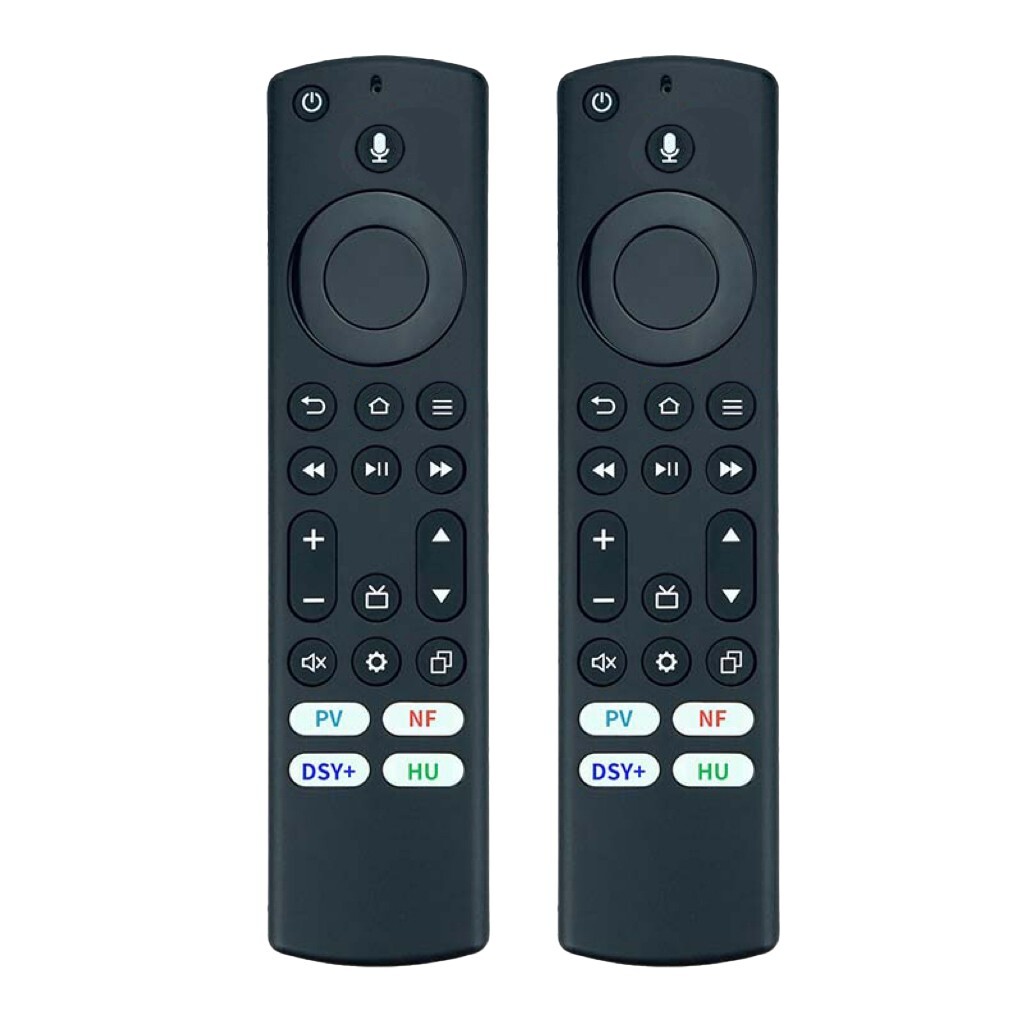
Replace Erf3s90h Bluetooth Voice Remote
For Hisense Smart Tv 43a6h 43a65h 50a6h
USD $13.49
Condition : New
Free Shipping
{{variant_type_name}} :

Notify me when the price drops
We will email you if we find a lower price on this product!
- ERF3S90H Replacement vioce remote control For Replacement of Hisense Smart Google TV Remote Control With Voice Control
- Use for Hisense Google Smart TV Model: 43A6H 50A6H 55A6H 65A6H 75A6H, 75A65K, 65A65K, 55A65K, 50A65K, 43A65K, 50A65HV, 43A65H, 55A65HV, 65A65HV, 70A6H, 75A6H, 65A6H, 55A6H, 50A6H, 43A6H, 85A7H, 50U6G, 55U8K, 65U8K, 75U8K, 85UX
- Compatible with Hisense Google TV series A65H, A6H, A7; Compatible with Hisense 4K ULED Google TV U7 series; Compatible with Hisense Android TV series U7G, U8, U9G, A45H, A4H, A6G, U68G, U6G; Compatible with Hisense Laser TV series PX1, L5, L9; Compatible with Hisense UHD Google TV A6 series; Compatible with Hisense VIDAA TV A6 series; Compatible with Hisense LED ULED 4K Google TV series U6K, U8, UX
- ERF3S90H remote control comes with shortcut Keys, including NETFLIX PrimeVideo YouTube Disney+ and MEDIA buttons, easier to access to your favorite Channels.
- Packaging: 1*Remote Control ( Batteries not included )
- Pairing:
- Press and hold the Back arrow + Home buttons for more than 3 seconds until the red indicator light blinks.
- Turn on your TV and open the Settings menu.
- Select Remotes & Accessories.
- Choose Add accessory.
- Your TV will now search for the remote.
- Select SmartRC from the list to pair, if the remote indicator turns blue, pairing is successful.

Price type
IN STOCK
OUT STOCK








 .
